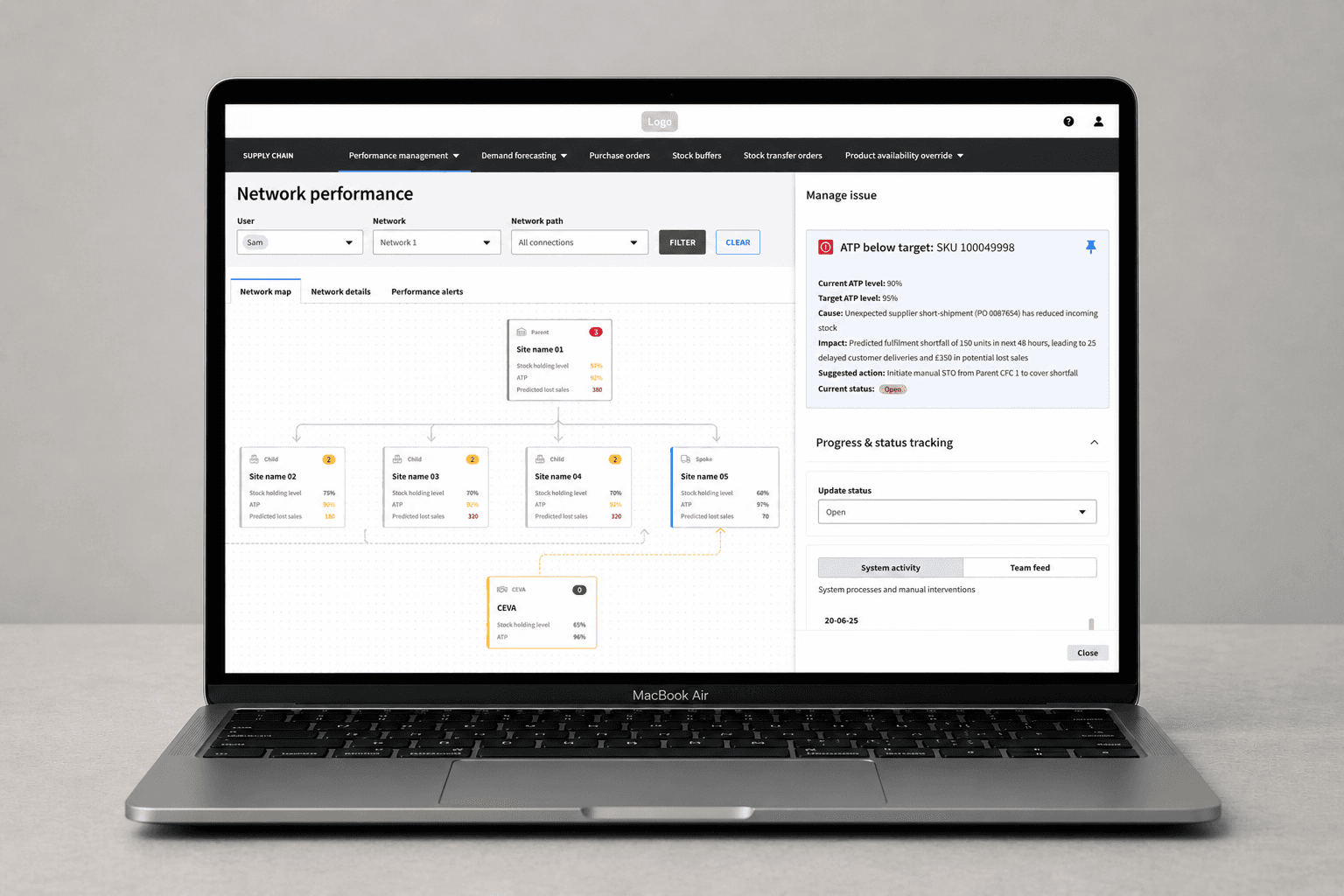
The Problem
At the time, creating a manual purchase order was an all-or-nothing process. Users had no way to save progress or validate decisions before submitting an order.
In the existing flow, users had to submit a purchase order without being able to validate constraints, or save and return to it later. This created a few consistent issues:
High risk of errors, particularly around supplier constraints and delivery details
Operational inefficiencies, with teams needing to manually fix incorrect orders
Heavy admin overhead, often involving emails, calls, and rescheduling
Workarounds outside the system, as users tried to stage decisions elsewhere
For demand planners specifically, this added significant time and friction to what should be a straightforward process.
Why This Wasn't a Simple Feature Add
Draft functionality already existed for recommended purchase orders, which are system-generated and structured.
However, manual purchase orders are fundamentally different; they are user-driven, less structured, and require greater flexibility. This meant the existing approach couldn't simply be reused. Instead, the behaviour of drafts needed to be redefined to support a more complex and less predictable workflow.
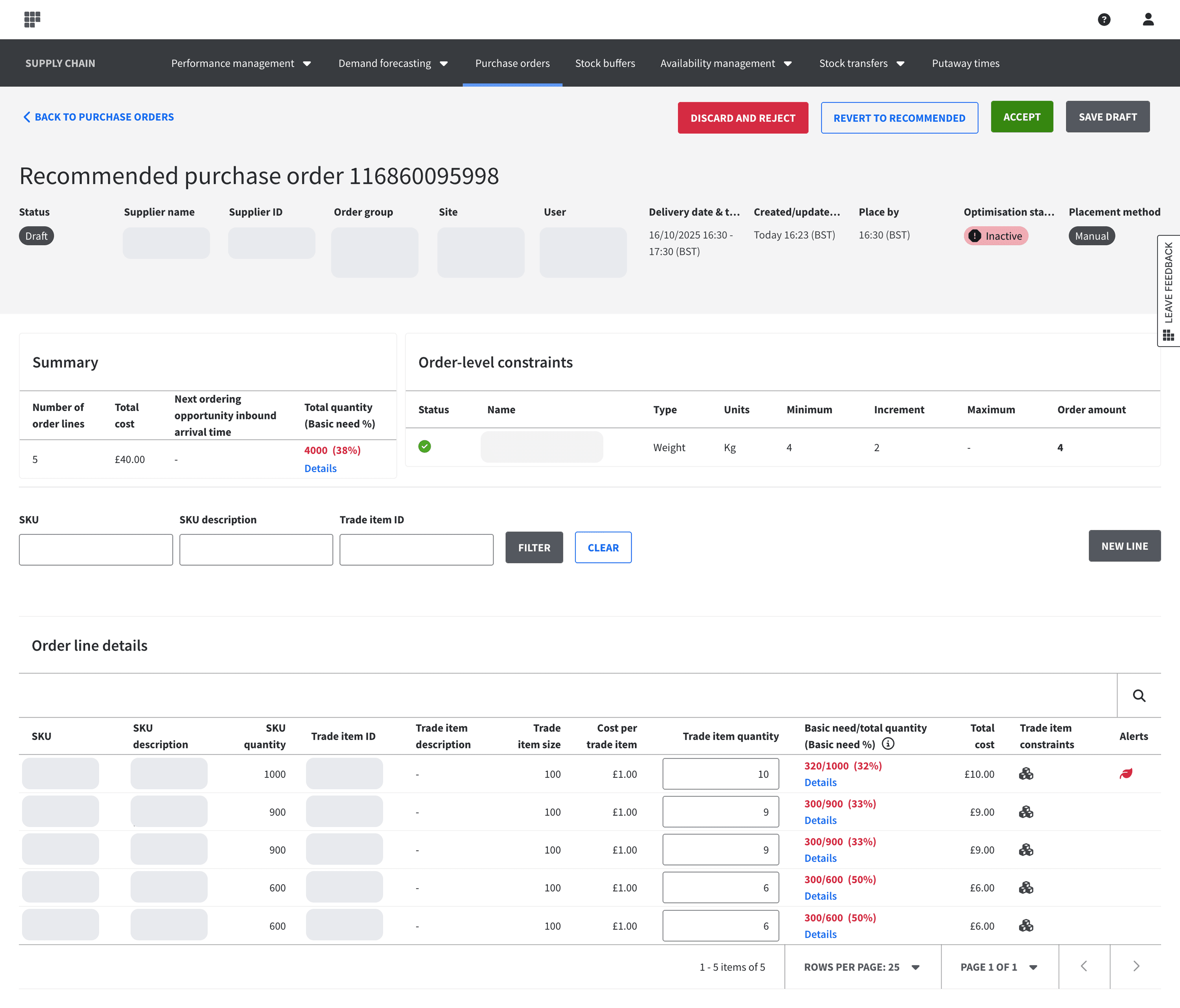
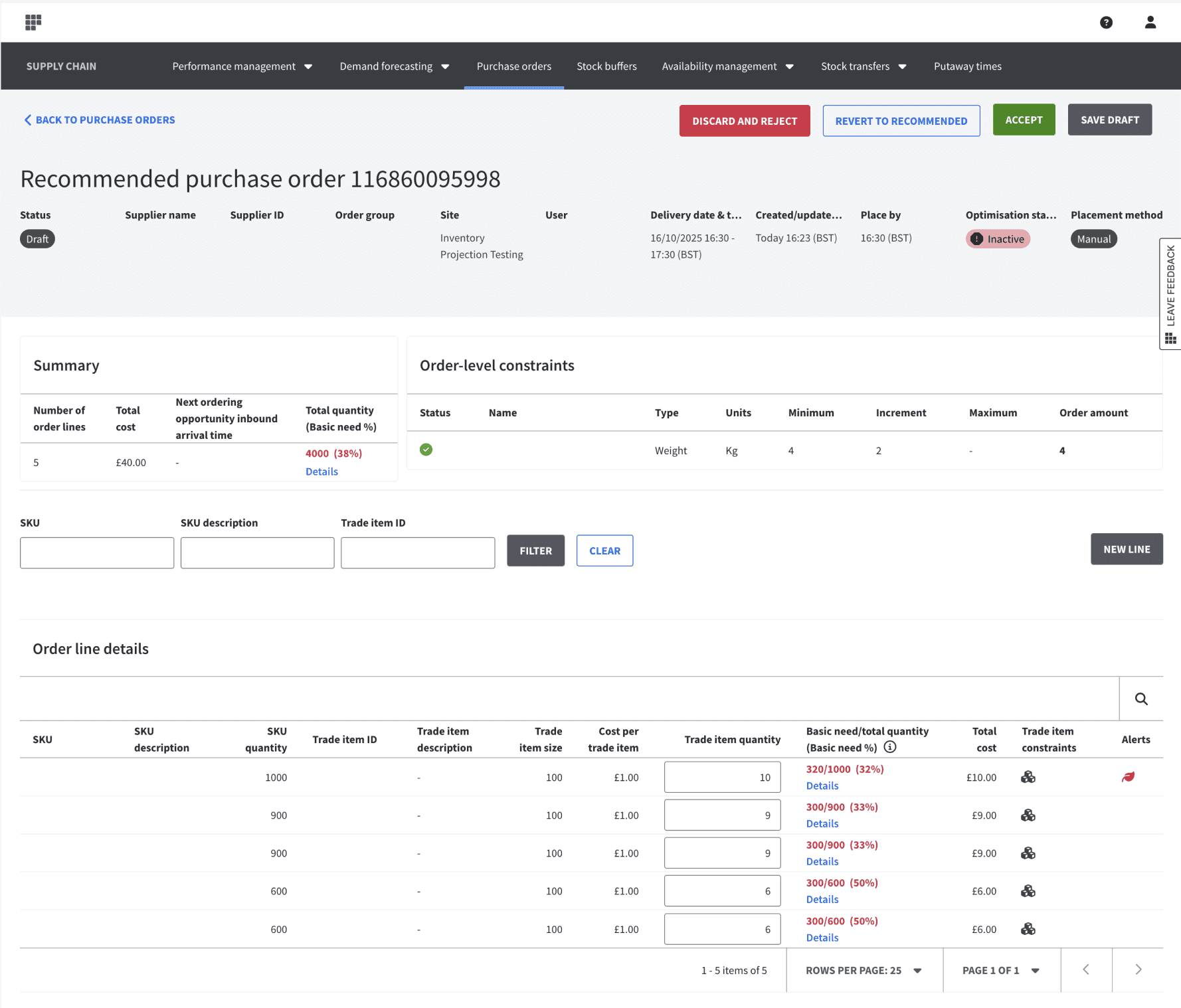
Drafts in recommended purchase orders, built for structured, system-generated workflows (Note: Sensitive data masked for confidentiality)
Discovery: Understanding Real Behaviour
Before designing solutions, I reviewed prior research and carried out discovery work to understand how demand planners and NDC managers actually worked across systems.
This included analysing existing workflows, identifying where users left the system to complete tasks, and mapping how orders were created, validated, and corrected over time.
Two key patterns emerged:
The workflow forced premature commitment - users had to submit orders before they felt confident, and then resolve issues afterwards.
Drafting was not a convenience but a necessity - users needed a way to check constraints, adjust delivery times, validate quantities, and coordinate with other teams before committing.
Without this, the process became fragmented and inefficient, with users relying on manual fixes and external workarounds.
Designing the Draft Experience
One of the key design discussions centred around where manual drafts should live within the existing purchase order app, which was split into two tabs:
Actual: all placed manual purchase orders and all accepted recommended purchase orders
Recommended: recommended purchase orders that were yet to be accepted or rejected
The Recommended tab already supported drafts, but manual drafts introduced a new challenge: should they live in a dedicated drafts area, or be integrated into the existing workflow?
Balancing User Needs and Delivery Constraints
A separate drafts section was explored, but would have introduced additional complexity and required coordination across multiple engineering teams. Discussions with planners showed they were comfortable finding drafts within the Actual tab, allowing the first release to focus on a simpler and more achievable solution.
Integrating Drafts into the Existing Workflow
Manual drafts were integrated directly into the Actual tab, allowing users to:
• Save progress at any point
• Return later and continue editing
• Avoid restarting orders from scratch
This removed the pressure to complete complex orders in a single session.
Turning Drafts into a Working Space
The solution went beyond simply saving unfinished work.
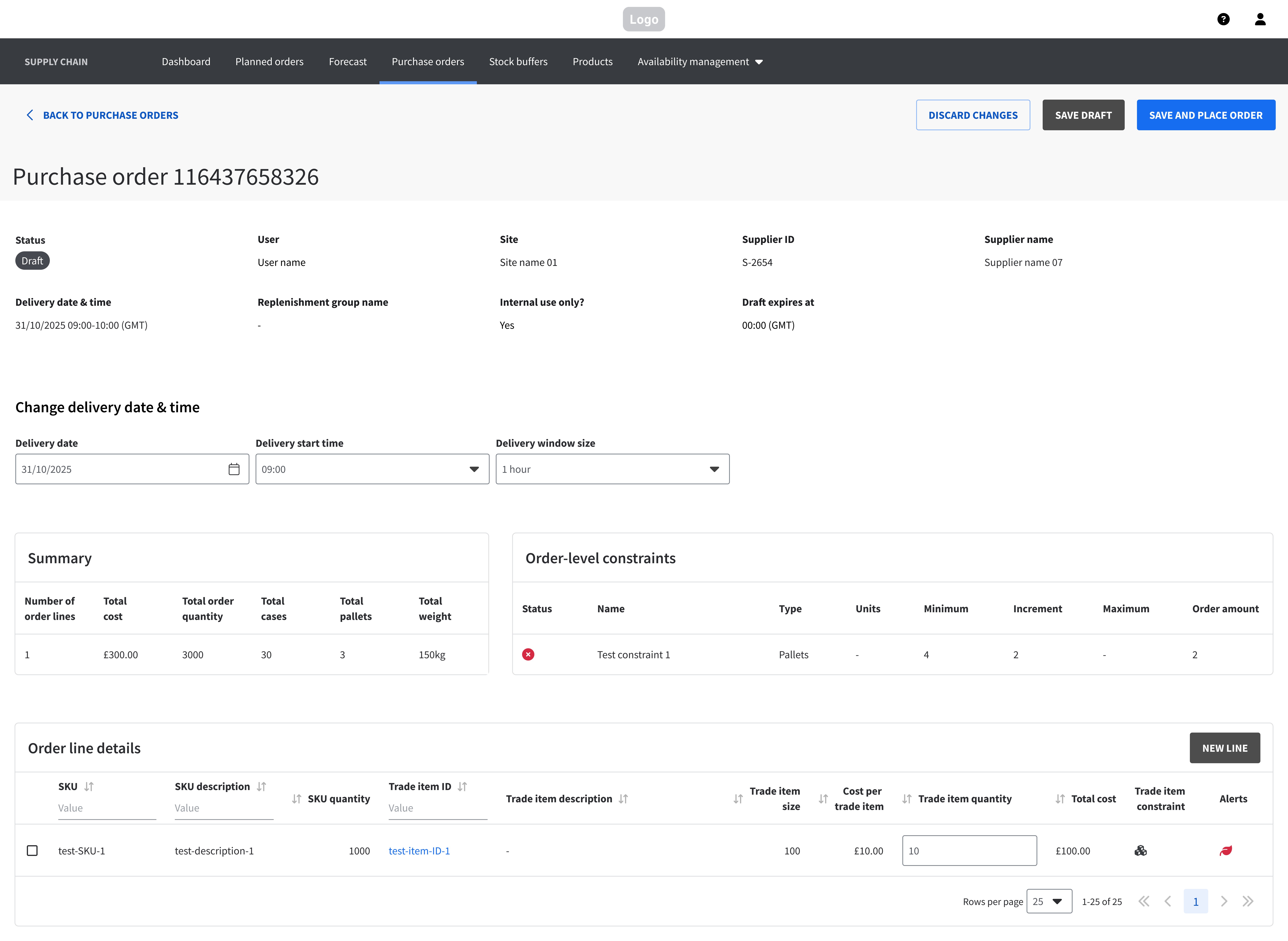
Users could edit quantities, delivery details and order lines directly within the draft, while supplier rules, pallet constraints and validation checks remained visible throughout the process.
This transformed drafts from a simple save state into a space where users could explore options, validate decisions and refine orders before committing.
Designing System Behaviour
A significant part of the work also involved defining how drafts behave within the system; this required close collaboration with product and engineering to align on rules, edge cases, and failure states - not just for individual actions, but for how the system holds up under real operational conditions.
We defined:
What constitutes a valid draft
Allowing incomplete drafts to be saved while ensuring they include at least one valid order line - this helped to balance flexibility with system integrity.
How the system should interpret changes
For example, reducing a quantity to zero needed to behave consistently with deleting a line, with the interface clearly reflecting that outcome to avoid confusion.
Draft lifecycle
Drafts needed to persist long enough to support real workflows, while being automatically cleared after a set period to prevent clutter, this behaviour needed to feel predictable and consistent with other experiences across the UI.
How the system behaves at scale
These behaviours also had to work across bulk actions, including CSV uploads, bulk draft creation, and saving multiple drafts in a single action, while maintaining consistency with single-order workflows.
How the system handles failure states
Such as failed saves or partial failures in bulk actions, ensuring users could recover without losing progress.
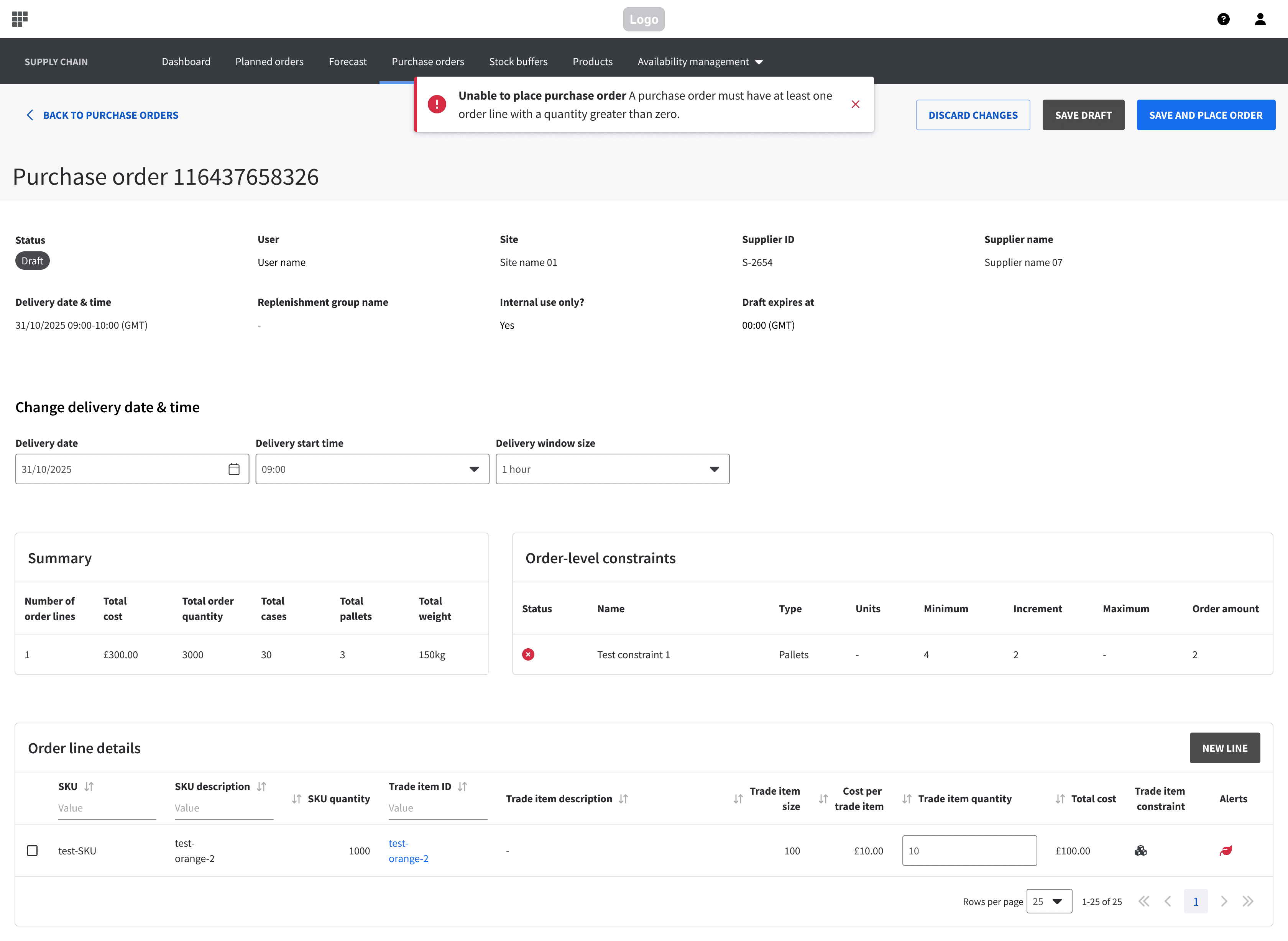
Drafts could be saved before completion, but not without at least one valid order line
Validation and Iteration
Once initial designs were in place, I created an interactive prototype and conducted evaluative research with both NDC managers and demand planners. Participants completed realistic ordering scenarios using the prototype while I observed their behaviour and asked probing questions to understand expectations, decision-making and areas of uncertainty. Users found the “save as draft” functionality intuitive and reliable, and inline editing significantly reduced friction. Importantly, users felt more confident before submitting orders.
The research also highlighted areas for improvement, which I iterated on, including clearer visibility of when drafts were last updated, better surfacing of constraints in some scenarios, and clearer communication around draft lifecycle and location.
Following release, additional feedback from demand planners and NDC managers reinforced these findings:
50% of respondents reported using the feature and finding it valuable in their workflow, among those users:
100% said it helped them plan and organise orders ahead of time
86% said it helped them review and adjust orders before submission
86% said it helped them start orders before all information was available
57% said it reduced back-and-forth when creating orders
Together, these findings validated the original design intent: helping users progressively build, review and validate orders before submission.
Outcome
The draft feature addressed a critical gap in manual purchase order creation and helped to reduce the risk of incorrect orders, lowered admin overhead, and aligned the system more closely with how demand planners and NDC managers actually work.
More importantly, it shifted the experience from committing early and fixing issues later to allowing users to iterate, validate, and then commit with confidence.
Reflections
Supporting iteration is essential
Users need space to refine and validate decisions, not just complete tasks.
User needs and system constraints must be designed together
Saving progress was only part of the solution. Supplier rules, validation, and editing workflows were equally important.
The hardest design decisions weren’t always visual
Questions around workflow structure, ownership, and system behaviour had as much impact as the interface itself.